 Hoppa till innehåll
Understanding IPTV M3U VLC
What is IPTV and How Does It Work?
IPTV, or Internet Protocol Television, is a revolutionary way to stream television content over the internet rather than through traditional satellite or cable formats. This technology allows users to access a wide array of channels and on-demand content directly through their internet connection. In Sweden, IPTV has gained immense popularity due to its flexibility and the vast selection of channels available, including local and international options.
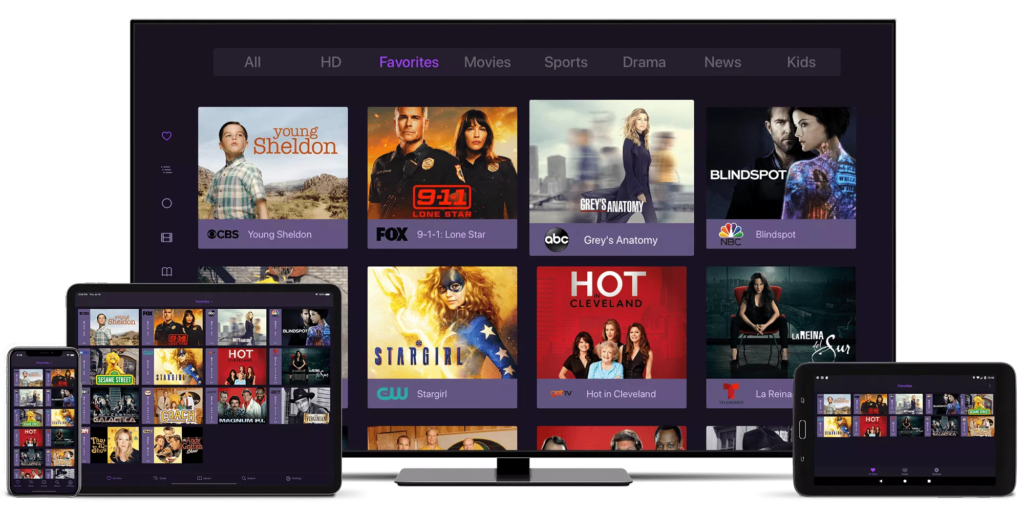
The core of IPTV lies in its ability to deliver content via IP networks, which means that users can enjoy high-quality streaming without the limitations of conventional broadcasting. With IPTV, you can watch live TV, catch up on missed shows, and even access movies and series on demand. This is where M3U files come into play.
The Role of M3U Files in IPTV Streaming
M3U files are playlists that contain a list of media files, including video and audio streams. They are essential for IPTV users as they provide a simple way to organize and access various channels and content. When you use an M3U playlist with a media player like VLC, you can easily stream IPTV channels without the need for complex setups.
Here’s how M3U files enhance your IPTV experience:
- Easy Access: M3U playlists allow you to compile multiple channels into a single file, making it easy to switch between them.
- Compatibility: Most media players, including VLC, support M3U files, ensuring a seamless streaming experience.
- Customization: Users can create their own M3U playlists, tailoring their viewing experience to their preferences.
To get started with VLC IPTV M3U setup, you’ll need to obtain a reliable M3U playlist. IPTV King Me offers a variety of M3U links that are compatible with VLC, ensuring you have access to a wide range of channels. For more information on available playlists, visit our IPTV M3U page.
Key Benefits of Using IPTV with M3U Files
- Flexibility: Stream content anytime, anywhere, as long as you have an internet connection.
- Variety: Access to numerous channels and on-demand content, catering to diverse interests.
- Cost-Effective: IPTV services often come at a lower price compared to traditional cable subscriptions.
In summary, understanding IPTV and M3U files is crucial for anyone looking to enhance their streaming experience. With the right setup, you can enjoy a world of entertainment at your fingertips. For more insights on setting up VLC for IPTV, check out our detailed guide on VLC IPTV M3U setup.
By leveraging the power of IPTV and M3U files, you can transform your viewing habits and enjoy a more personalized entertainment experience. If you have any questions or need assistance, feel free to reach out via WhatsApp for immediate support.
Setting Up VLC for IPTV M3U
Setting up VLC for IPTV M3U is a straightforward process that allows you to enjoy a wide range of live TV channels and on-demand content directly from your media player. VLC Media Player is a versatile tool that supports various formats, making it an ideal choice for streaming IPTV content. In this section, we will guide you through the VLC IPTV M3U setup and provide tips for configuring VLC settings to optimize your streaming experience.
Step-by-Step Guide to VLC IPTV M3U Setup
To get started with streaming IPTV using M3U playlists on VLC, follow these simple steps:
- Download and Install VLC: If you haven’t already, download VLC Media Player from the official VLC website and install it on your device.
- Obtain an M3U Playlist: You will need a valid M3U playlist to access IPTV channels. IPTV King Me offers a variety of M3U links that are compatible with VLC. You can find these playlists on our IPTV M3U page.
- Open VLC Media Player: Launch VLC on your device.
- Access the Network Stream:
- Click on Media in the top menu.
- Select Open Network Stream from the dropdown.
- Enter the M3U URL: In the network URL field, paste the link to your M3U playlist. If you have a local M3U file, you can browse and select it instead.
- Start Streaming: Click on the Play button. VLC will begin streaming the channels listed in your M3U playlist.
- Enjoy Your Content: You can now navigate through the channels and enjoy live TV streaming.
Configuring VLC Settings for Optimal Streaming
To enhance your IPTV experience with VLC, consider adjusting the following settings:
- Increase Cache Value: This can help reduce buffering. Go to Tools > Preferences > Input/Codecs and increase the File caching (ms) value to 1000 or more.
- Enable Hardware Acceleration: This can improve playback performance. Navigate to Tools > Preferences > Input/Codecs and set Hardware-accelerated decoding to Automatic.
- Adjust Video Output: If you experience video issues, try changing the video output module. Go to Tools > Preferences > Video and select a different output module from the dropdown.
- Set Up Subtitles: If your IPTV channels offer subtitles, you can enable them by going to Subtitles/OSD in the preferences menu.
By following these steps and configurations, you can effectively set up IPTV with VLC media and enjoy a seamless streaming experience.
Key Benefits of Using VLC for IPTV M3U
- User-Friendly Interface: VLC is known for its intuitive interface, making it easy for users of all skill levels to navigate.
- Wide Format Support: VLC supports various media formats, ensuring compatibility with most M3U playlists.
- Customizable Features: Users can tailor VLC settings to enhance their viewing experience, from video output to audio settings.
In conclusion, setting up VLC for IPTV M3U is a simple yet effective way to access a plethora of channels and content. For more information on IPTV services and M3U playlists, visit IPTV King Me and explore our offerings. If you have any questions or need assistance, don’t hesitate to reach out via WhatsApp for immediate support.
By leveraging the capabilities of VLC and M3U playlists, you can transform your media consumption and enjoy a personalized entertainment experience.
Importing M3U Playlists into VLC
When it comes to enjoying IPTV content, importing M3U playlists into VLC is a crucial step that allows you to access a wide range of channels and on-demand content seamlessly. This section will guide you through the process of creating and managing M3U playlists, as well as troubleshooting common issues that may arise during the import process.
How to Create and Manage M3U Playlists
Creating an M3U playlist is a straightforward process that can significantly enhance your IPTV experience. Here’s how you can create and manage your own M3U playlists for use with VLC:
- Gather Your Channel Links: Start by collecting the URLs of the IPTV channels you want to include in your playlist. You can find reliable M3U links from various IPTV providers, including IPTV King Me.
- Open a Text Editor: Use a simple text editor like Notepad (Windows) or TextEdit (Mac) to create your M3U file.
- Format Your Playlist: Each entry in your M3U playlist should follow this format:
   #EXTM3U
   #EXTINF:-1, Channel Name
http://link-to-your-channel- The
#EXTM3Uline indicates the start of the playlist. - The
#EXTINFline provides metadata about the channel, including its name. - The URL line is the direct link to the channel stream.
- Save Your Playlist: Once you have added all your channels, save the file with a
.m3uextension (e.g.,my_playlist.m3u). - Importing into VLC: To import your newly created M3U playlist into VLC, follow these steps:
- Open VLC Media Player.
- Click on Media in the top menu and select Open File.
- Browse to your saved M3U file and click Open. Your channels will now be available for streaming.
Troubleshooting Common Issues When Importing M3U Links
While importing M3U playlists into VLC is generally a smooth process, you may encounter some common issues. Here are some troubleshooting tips to help you resolve them:
- Buffering and Lag: If you experience buffering, try increasing the cache value in VLC. Go to Tools > Preferences > Input/Codecs and set the File caching (ms) to a higher value (e.g., 1000 ms).
- Error Messages: If VLC displays an error message when trying to play a channel, ensure that the M3U link is valid and that the channel is currently online. You can test the link in a web browser to verify its availability.
- No Channels Found: If your playlist imports but shows no channels, double-check the formatting of your M3U file. Ensure that each channel entry follows the correct syntax and that there are no extra spaces or characters.
- Playback Issues: If you encounter playback issues, consider adjusting the video output settings in VLC. Go to Tools > Preferences > Video and experiment with different output modules.
Key Benefits of Using M3U Playlists with VLC
- Convenience: M3U playlists allow you to compile multiple channels into a single file, making it easy to switch between them without having to search for individual links.
- Customization: You can create personalized playlists that cater to your viewing preferences, ensuring you have quick access to your favorite channels.
- Compatibility: VLC supports a wide range of M3U playlists, making it a versatile choice for IPTV streaming.
In conclusion, importing M3U playlists into VLC is an essential step for anyone looking to enhance their IPTV experience. By following the steps outlined above, you can easily create, manage, and troubleshoot your playlists. For more information on IPTV services and M3U playlists, visit IPTV King Me and explore our offerings. If you have any questions or need assistance, don’t hesitate to reach out via WhatsApp for immediate support.
By leveraging the power of M3U playlists and VLC, you can enjoy a world of entertainment tailored to your preferences.
Benefits of Using IPTV with VLC Media Player
When it comes to streaming live television, IPTV with VLC Media Player offers a plethora of advantages that enhance the viewing experience. VLC is not just a media player; it is a powerful tool that supports various formats, making it an ideal choice for IPTV users. In this section, we will explore the key benefits of using IPTV with VLC, as well as compare VLC with other media players to help you make an informed decision.
Advantages of Streaming Live TV with VLC
- Wide Compatibility: VLC supports a variety of file formats, including M3U playlists, which are essential for IPTV streaming. This means you can easily access a multitude of channels without worrying about compatibility issues.
- User-Friendly Interface: VLC’s intuitive interface makes it easy for users of all skill levels to navigate. Whether you are a tech-savvy individual or a beginner, you will find VLC straightforward and easy to use.
- Customization Options: VLC allows users to customize their viewing experience. You can adjust settings such as video output, audio preferences, and even subtitle options to suit your needs. This level of customization is not always available in other media players.
- No Subscription Fees: Unlike many IPTV services that require monthly subscriptions, VLC is completely free to use. This makes it an attractive option for those looking to save money while enjoying live TV.
- Advanced Features: VLC comes with a range of advanced features, including the ability to record live TV, take snapshots, and even stream content from your local network. These features enhance the overall IPTV experience.
- Cross-Platform Support: VLC is available on multiple platforms, including Windows, macOS, Linux, Android, and iOS. This means you can enjoy your IPTV content on various devices without any hassle.
- Regular Updates: The VLC development team frequently releases updates to improve performance and add new features. This ensures that you always have access to the latest enhancements and bug fixes.
Comparing VLC with Other Media Players for IPTV
While there are several media players available for streaming IPTV, VLC stands out for its unique features and capabilities. Here’s a comparison of VLC with some popular alternatives:
| Feature | VLC Media Player | Other Media Players |
|---|---|---|
| M3U Playlist Support | Yes | Varies |
| Cost | Free | Often Paid |
| Customization | High | Limited |
| Cross-Platform | Yes | Limited |
| User Interface | Intuitive | Varies |
| Advanced Features | Yes | Limited |
As shown in the table, VLC offers significant advantages over many other media players, particularly in terms of cost, customization, and support for M3U playlists. This makes it an excellent choice for anyone looking to stream IPTV content effectively.
Conclusion
In summary, using IPTV with VLC Media Player provides numerous benefits, including compatibility with M3U playlists, a user-friendly interface, and advanced features that enhance the viewing experience. Whether you are streaming live TV or on-demand content, VLC is a versatile and powerful tool that can meet your needs.
For those interested in exploring IPTV options, IPTV King Me offers a variety of M3U playlists that are compatible with VLC. You can find more information on our IPTV M3U page and start enjoying a world of entertainment today. If you have any questions or need assistance, feel free to reach out via WhatsApp for immediate support.
By leveraging the capabilities of VLC and M3U playlists, you can transform your media consumption and enjoy a personalized entertainment experience tailored to your preferences.
Frequently Asked Questions about IPTV M3U and VLC
As the popularity of IPTV M3U VLC continues to rise, many users have questions regarding its legality, the best services available, and how to optimize their experience. In this section, we will address some of the most common inquiries related to IPTV and M3U playlists, providing you with the information you need to make informed decisions.
Is IPTV Legal in Sweden?
One of the most frequently asked questions about IPTV is its legality. In Sweden, IPTV services are generally legal as long as they comply with copyright laws. Users should ensure that the IPTV provider they choose has the necessary licenses to distribute the content. IPTV King Me, for instance, offers a range of channels and on-demand content that adheres to legal standards, ensuring a safe and compliant viewing experience.
Key Points to Consider:
- Licensing: Always check if the IPTV provider has the rights to distribute the channels.
- Content Type: Some IPTV services may offer pirated content, which is illegal. Stick to reputable providers.
- User Responsibility: As a user, it’s essential to be aware of the content you are accessing and ensure it is legal.
For more detailed information on the legality of IPTV in Sweden, you can refer to local regulations or consult legal experts.
What Are the Best IPTV Services Available?
When it comes to choosing the best IPTV services, several factors come into play, including channel selection, pricing, and customer support. Here are some of the top IPTV services that are popular among users in Sweden:
- IPTV King Me: Known for its extensive channel lineup and reliable service, IPTV King Me offers a variety of M3U playlists compatible with VLC. Their customer support is also highly rated, making it a great choice for beginners.
- Nεtflix: While primarily known for on-demand content, Nεtflix also offers live TV options in some regions. However, it may not provide the same variety of channels as dedicated IPTV services.
- Sling TV: This service offers a range of live TV channels and is popular in various countries. It may not be as comprehensive as IPTV King Me in terms of channel selection.
- YouTube TV: Another popular option, YouTube TV provides access to live TV channels and on-demand content. However, it may come with a higher price tag compared to traditional IPTV services.
- Local Providers: Many local providers in Sweden offer IPTV services tailored to regional preferences. Researching local options can yield great results.
When selecting an IPTV service, consider the following factors:
- Channel Variety: Ensure the service offers the channels you want.
- Pricing: Compare subscription costs and any additional fees.
- User Reviews: Look for feedback from other users to gauge reliability and quality.
For more information on IPTV services and to explore the offerings from IPTV King Me, visit our IPTV M3U page.
Conclusion
In conclusion, understanding the legal aspects of IPTV in Sweden and knowing the best services available can significantly enhance your streaming experience. By choosing a reputable provider like IPTV King Me, you can enjoy a wide range of channels and on-demand content while ensuring compliance with local laws.
If you have any further questions or need assistance with your IPTV setup, don’t hesitate to reach out via WhatsApp for immediate support.
By leveraging the power of IPTV M3U VLC, you can transform your viewing habits and enjoy a personalized entertainment experience tailored to your preferences. For more insights and guides, explore our website at IPTV King Me.
Conclusion and Call to Action
As we wrap up our exploration of IPTV M3U VLC, it’s clear that this combination offers a powerful and flexible solution for streaming live television and on-demand content. With the right setup, you can enjoy a vast array of channels tailored to your preferences, all from the comfort of your favorite media player.
Why Choose IPTV King Me for Your IPTV Needs
When it comes to selecting an IPTV service, IPTV King Me stands out as a premier choice for users in Sweden. Here are several compelling reasons to consider our service:
- Extensive Channel Selection: We provide a wide variety of live TV channels, including local and international options, ensuring that you have access to the content you love.
- M3U Playlist Compatibility: Our service supports M3U playlists, making it easy to integrate with VLC and other media players. This means you can quickly set up your IPTV experience without hassle.
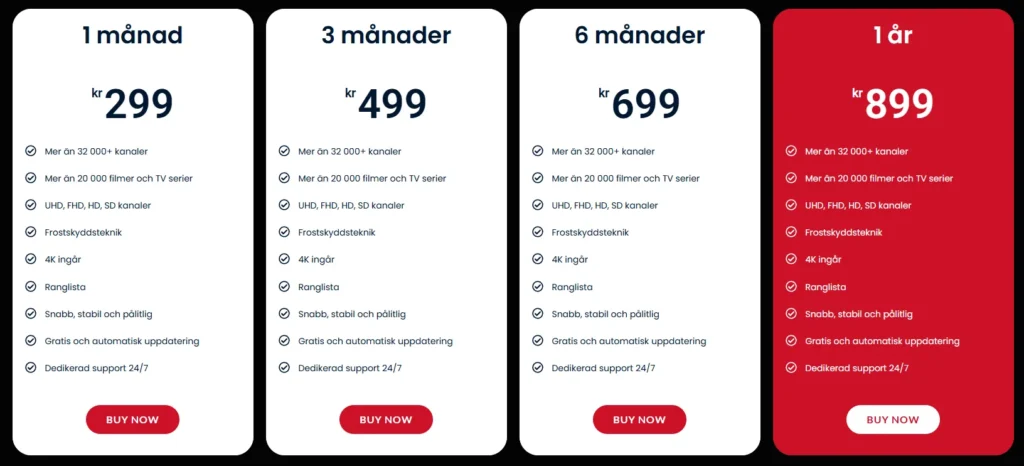
- Affordable Pricing: IPTV King Me offers competitive subscription plans that cater to different budgets. You can choose from monthly, quarterly, or yearly options, allowing you to find a plan that suits your needs. For specific pricing details, visit our pricing page.
- Reliable Customer Support: Our dedicated support team is available to assist you with any questions or issues you may encounter. Whether you need help with setup or troubleshooting, we’re here to help. You can reach us instantly via WhatsApp for immediate assistance.
- User-Friendly Experience: Our service is designed with the user in mind, ensuring that even those new to IPTV can navigate and enjoy their favorite content effortlessly.
Sign Up Today for Exclusive Offers and Support
Ready to enhance your viewing experience? Sign up today with IPTV King Me and unlock a world of entertainment at your fingertips. With our reliable service, extensive channel lineup, and dedicated support, you can enjoy seamless streaming of your favorite shows and movies.
To get started, visit our IPTV M3U page and explore the options available. Don’t miss out on the opportunity to transform your media consumption with IPTV M3U VLC.
In conclusion, the combination of IPTV and VLC media player provides a unique and customizable viewing experience that caters to your entertainment needs. By choosing IPTV King Me, you are not only gaining access to a wide range of channels but also ensuring that you have the support and resources necessary for a smooth streaming experience.
Join us today and take the first step towards a more enjoyable and personalized entertainment journey!
Conclusion: Unlock the Power of IPTV M3U VLC with IPTV King Me
As we conclude our deep dive into IPTV M3U VLC, it’s evident that this combination offers an exceptional way to access a diverse range of live television and on-demand content. With IPTV King Me, you can enjoy a seamless streaming experience tailored to your preferences, all from the comfort of your favorite media player.
Why Choose IPTV King Me for Your IPTV Needs
Here are some key benefits of choosing IPTV King Me:
- Extensive Channel Selection: Access a wide variety of live TV channels, including local and international options, ensuring you never miss your favorite shows.
- M3U Playlist Compatibility: Our service supports M3U playlists, making it easy to integrate with VLC and other media players for a hassle-free setup.
- Affordable Pricing: We offer competitive subscription plans that cater to different budgets, allowing you to choose the option that best fits your needs. For specific pricing details, check out our pricing page.
- 24/7 Customer Support: Our dedicated support team is always available to assist you with any questions or issues you may encounter. Whether you need help with setup or troubleshooting, we’re here for you. Reach out instantly via WhatsApp for immediate assistance.
- User-Friendly Experience: Designed with the user in mind, our service ensures that even those new to IPTV can navigate and enjoy their favorite content effortlessly.
Sign Up Today for Exclusive Offers and Support
Ready to elevate your viewing experience? Sign up today with IPTV King Me and unlock a world of entertainment at your fingertips. With our reliable service, extensive channel lineup, and dedicated support, you can enjoy seamless streaming of your favorite shows and movies.
To get started, visit our IPTV M3U page and explore the options available. Don’t miss out on the opportunity to transform your media consumption with IPTV M3U VLC.
In summary, the combination of IPTV and VLC media player provides a unique and customizable viewing experience that caters to your entertainment needs. By choosing IPTV King Me, you are not only gaining access to a wide range of channels but also ensuring that you have the support and resources necessary for a smooth streaming experience.
Join us today and take the first step towards a more enjoyable and personalized entertainment journey!
